AI alt text
A11yScanFix can write descriptive alt text for your images using AI. You bring your own API key, so there are no per-image fees and no vendor lock-in. Image data goes straight from your site to the provider you chose - never to us.
Two ways to use it
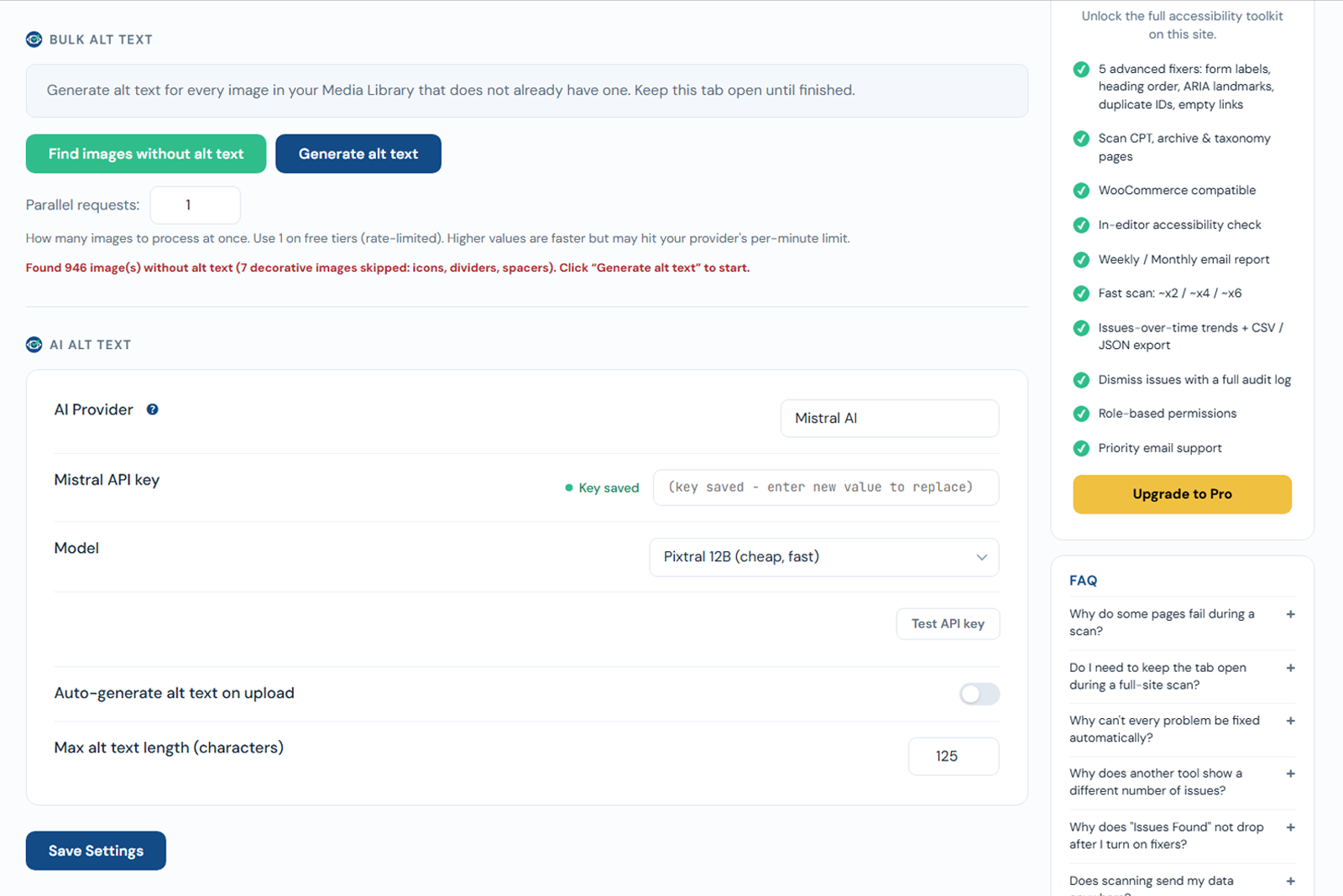
- On upload - turn on auto-generate, and every newly uploaded image gets alt text automatically.
- In bulk - fill alt text for images already in your Media Library. See Bulk generate.
Setup in short
- Go to A11yScanFix -> AI Alt Text.
- Pick a provider and paste your API key.
- Choose the model.
- Optionally enable Auto-generate on upload.
See Providers and keys for details.
AI alt text is free
AI alt text is intentionally part of the Free plugin. You only pay your own AI provider for usage.